
Showing Worship Lyrics on Screen and on the Stream
How to put worship song lyrics on the church screen and the live stream: preparing songs, slides people can read, and following the worship leader.
· 4 min read · The RheoCast team
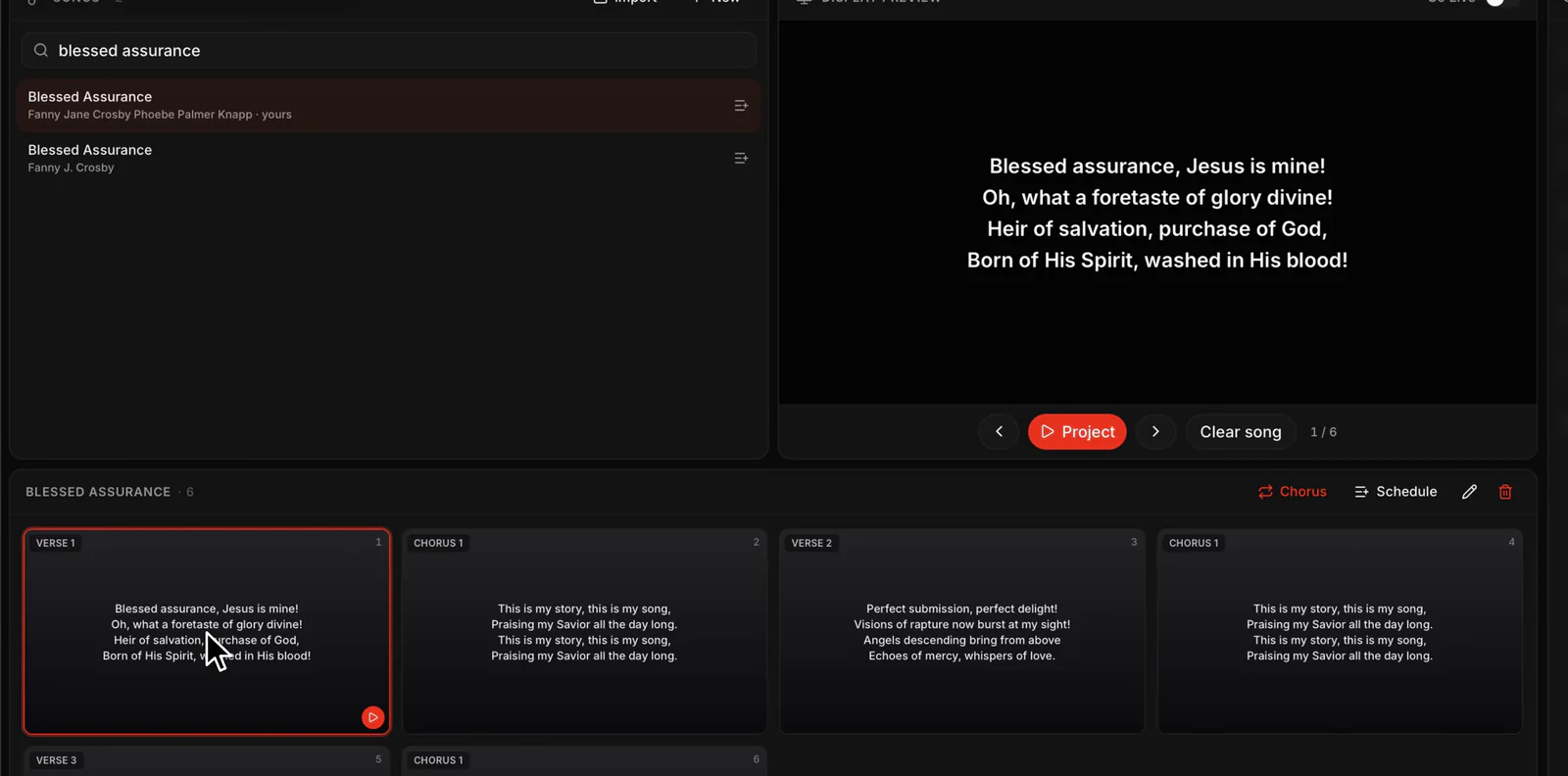
Good lyrics on the screen are almost invisible. The congregation sings, nobody looks at the person running the computer, and the words are always there a moment before they are needed. Bad lyrics are impossible to miss: the wrong verse, a slide that arrives late, or a line so long the text shrinks until nobody at the back can read it.
This guide covers how to prepare songs, how to make slides people can read, how to follow a worship leader who does not stick to the plan, and how to put the same lyrics on your live stream.
Prepare the songs before Sunday
Most lyrics problems start on Saturday night, when a song is typed in a hurry.
Do not retype what you already have. If your church has used EasyWorship, its whole song library can come across in one go: RheoCast reads the titles, authors, copyright lines and lyrics, and skips any song you already have, so you can import twice without making duplicates. Songs downloaded from a SongSelect account, and ChordPro files, import in one go too, with the chords left out.
Split songs into sections. Every verse, chorus and bridge should be its own section, labelled, so the operator can jump straight to "Chorus" when the leader goes back to it. In RheoCast you type the lyrics as plain text, with a label line such as Verse 1 or Chorus at the start of each section, and if a song repeats its chorus you switch on repeat chorus instead of pasting it again.
Check the copyright line. Projecting a song in church needs a licence such as CCLI's in many countries, and streaming it needs another. Keep each song's copyright line and CCLI number with it, so your reports are easy.
Slides people can read
- Two to four lines a slide. More than that and people stop singing to read.
- Large type, high contrast. White on a dark background reads best in a bright room. Busy moving backgrounds look good in a demo and make the words hard to read in a real service.
- Do not break a line in the middle of a phrase. People sing in phrases.
RheoCast sets each slide as large as the screen allows. When a line is long enough to make the whole slide small, it splits that line in two after a comma or a natural pause near its middle, rather than leaving one word on its own.
Following the worship leader
Worship leaders repeat a chorus, skip a verse, or start a song that was not on the list. The operator's job is to keep up without the congregation noticing.
- Put the order of service in a schedule before the service starts, so the next song is always one click away. If your church plans its services in ChurchCast, the schedule can come straight from the plan.
- Click the section, not "next". When the leader jumps back to the chorus, click the chorus. Keyboard shortcuts help: in RheoCast, B blanks the screen for a prayer, and the next slide carries on from where you were.
- Know how to clear. When the song ends, clear it. In RheoCast, if a verse was on screen before the song, clearing the song puts the verse back.
Songs and scripture share the screen. If the preacher breaks into song in the middle of the sermon, project it; whatever you project last takes the screen.
Lyrics on the live stream
Viewers at home want to sing too, but a full-screen slide on the stream hides the worship team. The usual answer is a lower third: the lyrics along the bottom of the picture, over the camera shot.
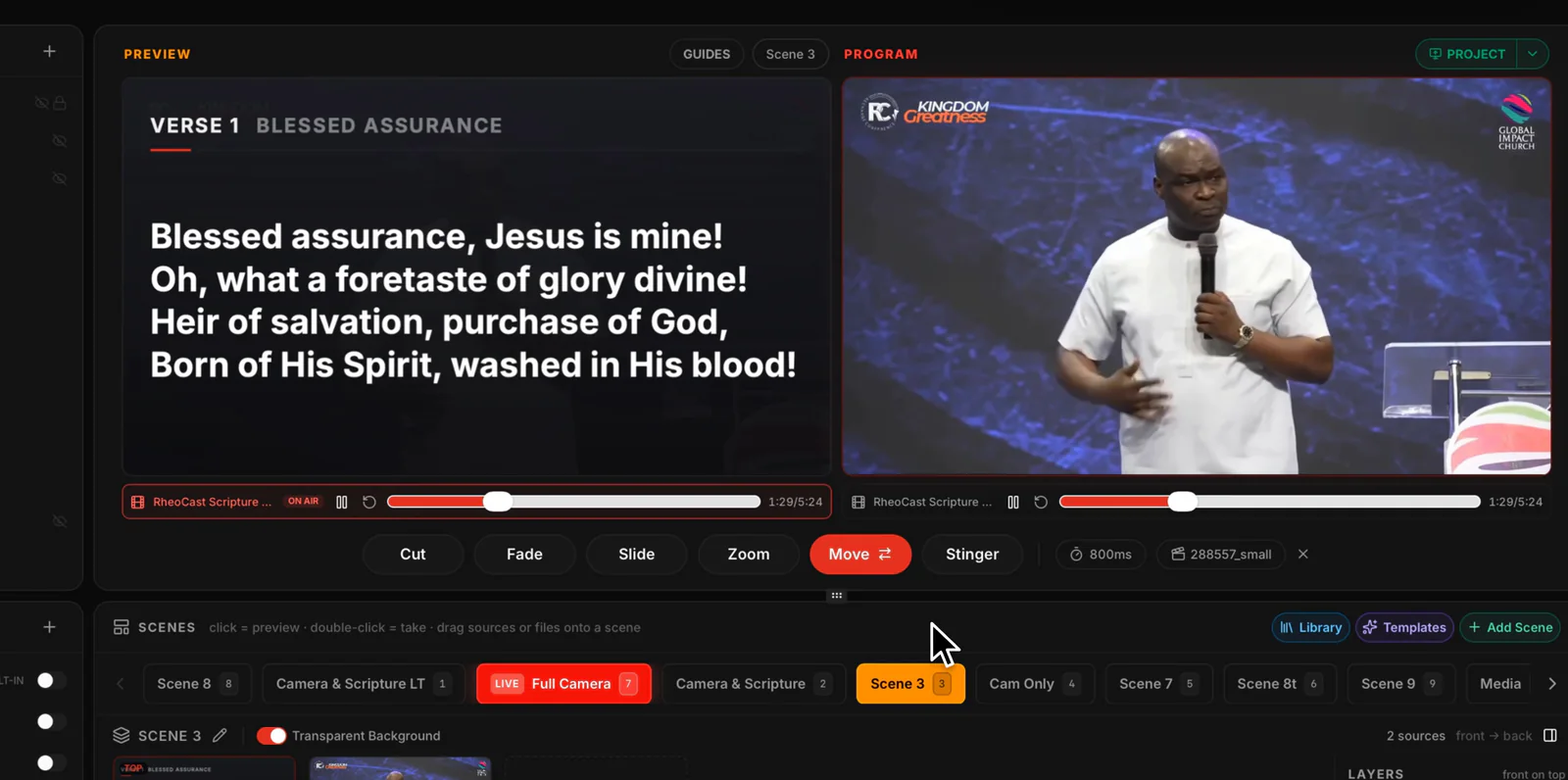
In many setups this means a second program and a second operator, or a fragile link between the presentation software and the streaming software. In RheoCast it is the same app. The slide you click for the room goes to the stream at the same moment, as a lyrics lower third or a lyrics panel in one of eighteen styles, or one you design yourself. There is nothing to keep in step.
A checklist for the lyrics operator
- Every song for Sunday imported, split into sections, with its copyright line.
- The songs in the schedule, in order.
- A run-through with the worship leader, if they will allow it, to hear where they repeat.
- The screen and the stream both checked from where people sit and watch.
- A finger near B for prayers, and near Clear for the end of each song.
Try it with your own songs
Lyrics, EasyWorship import, song files and the Broadcast console are all on RheoCast's free plan. Download RheoCast, bring your songs across, and run through next Sunday's set. Then read Bible Presentation Software: What to Look For for the other half of the service: the scripture.
Read next
- Bible Presentation Software: What to Look ForHow to choose Bible presentation software for your church: finding verses fast, translations, lyrics, the stream, offline use and the real cost.
- How to Stream Your Church Service to YouTube and FacebookA practical guide to streaming your church service: cameras, sound, internet, going live on YouTube and Facebook together, and a checklist.
- Free Church Presentation and Streaming SoftwareWhat a church can do for free: put verses and lyrics on screen, run cameras and scenes, and stream to YouTube and Facebook without a watermark.